
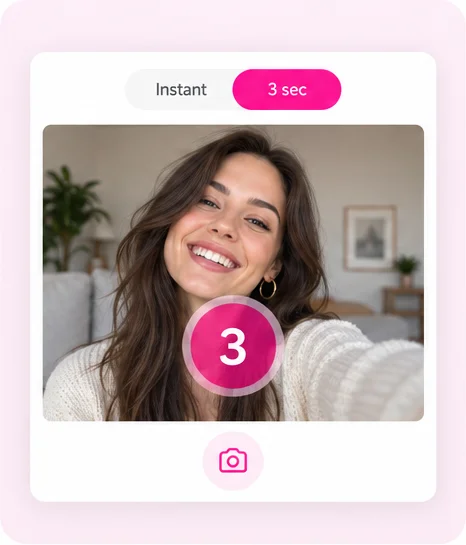
Countdown or instant
Each shot gets a 3-second countdown, or switch to instant and shoot at your own pace.
Independent online photo booth
Came here looking for Picapica, the Pica Pica photobooth or picapicabooth.com? Photobooth Online is a separate free online photo booth that runs in your browser, with no ads, seven layouts and more than 100 original templates. Use your webcam or phone camera, or upload photos, retake any single shot, then download your photo strip for free.
Open the photo booth





Picapica vs Photobooth Online
A side-by-side look at the Picapica photo booth and Photobooth Online, on the things people ask about most when they switch.
| Feature | Picapica | Photobooth Online |
|---|---|---|
| Ads | Banner ads on the page and a full-screen ad when you start | No ads and no pop-ups |
| Retakes | No retakes: to fix one photo you reshoot the whole set | Retake any single photo, or replace it with an upload |
| Layouts | 5 layouts with 2, 3, 4 or 6 photos | 7 layouts, from a single photo to a 3×3 grid of 9 |
| Templates | Frame colours to choose from | 100+ original templates in 14 collections, from Korean 4-cut and Y2K to Christmas and wedding View all our beautiful frames |
| Stickers | Character-themed sticker packs | 33 original stickers you can drag, resize and rotate |
| Filters | 7 filters, chosen before you shoot | 9 filters you can change after shooting |
| Your own text | No custom caption | Add your own caption (up to 40 characters), with the date added for you |
Based on picapicabooth.com as checked in November 2026.
One from every collection
From classic sepia and Korean 4-cut frames for a K-pop photobooth online look to Christmas, Halloween and Instagram Story backgrounds. Every design is original to this site; pick one to start with it.

Classic: warm sepia tones that make a phone photo look like an old booth print.

Korean 4-cut: milky pink borders with tiny hearts between the shots.

Cute: a hand-drawn bunny among soft clouds for a sweet, playful strip.

Pink: a glossy doll-box frame in bright bubblegum pink.
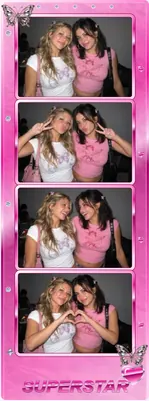
Y2K: bubblegum colours and early-2000s sparkle.
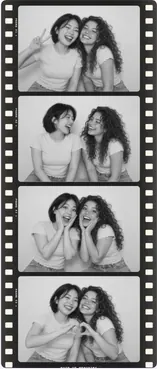
Film: silver monochrome film with sprocket-hole borders.

Black and white: crisp monochrome photos on a classic white strip.

Polaroid: an instant-photo white border with room for a caption.

Christmas: illustrated red and gold with festive details.
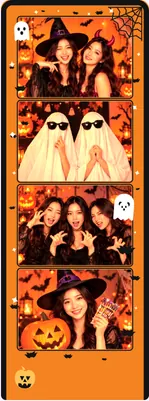
Halloween: pumpkins and spooky orange for costume nights.
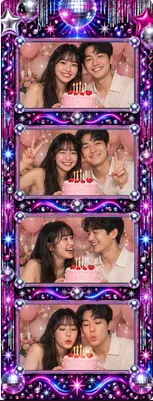
Birthday: an illustrated neon disco frame for party photos.

Wedding: velvet and candlelight with built-in lettering.

Graduation: navy and gold for commencement day.

Instagram Story: a 9:16 background sized for your stories.
How it works
This web photo booth works the same whether you shoot live with your webcam or use photos you already have.
Choose a look, then decide how many photos go into your strip or grid.
Shoot with a 3-second countdown or instantly, or upload pictures and adjust the crop.
Switch templates, try filters, add stickers and write a caption, all after shooting.
Save a high-resolution PNG to your phone or computer and post it wherever you like.
Switching from Picapica?
If you've used the Pica Pica booth or another photostrip website before, you'll feel at home here. A few things work a little differently.
Each shot gets a 3-second countdown, or switch to instant and shoot at your own pace.
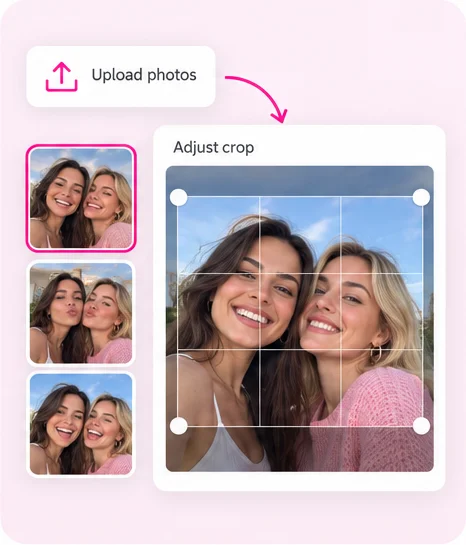
Tap any photo to retake it or replace it with an upload, so one blink doesn't ruin the strip.
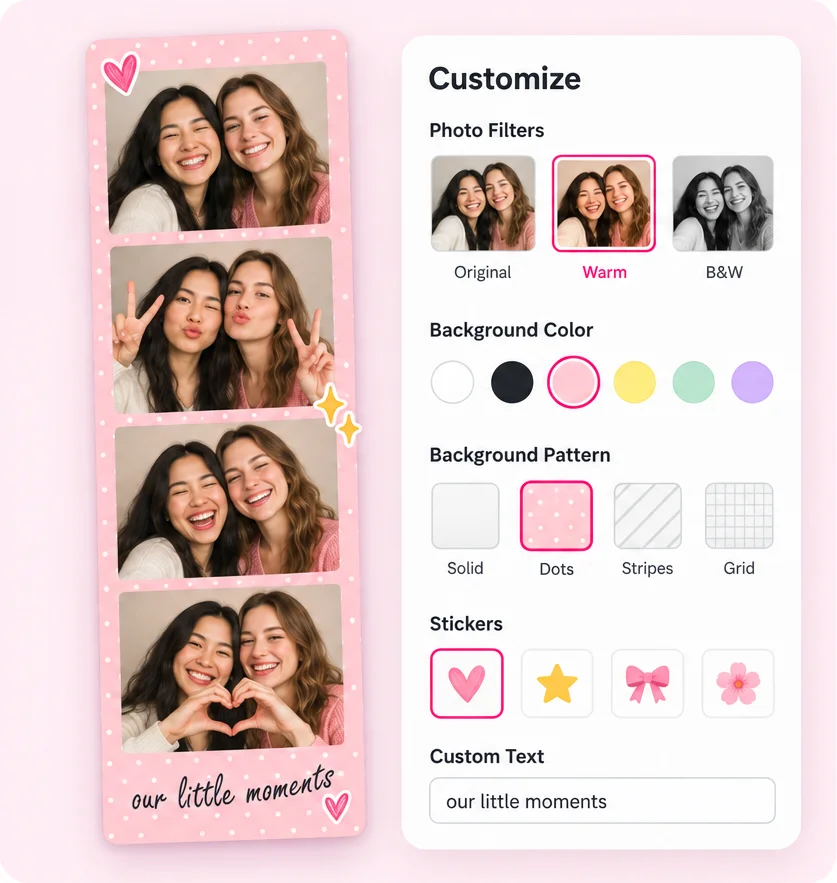
Pick a filter on the edit screen, add stickers and a caption, and change your mind as often as you like.
Pose ideas
Plan one small change between shots so the finished strip tells a little story.

Start simple: everyone in frame, eyes on the camera, a relaxed smile.

Peace sign, finger heart or a hand by your face. Pick one and commit.

Pull a silly face, lean in close or copy each other's expression.

Let the last shot be the candid one: a laugh, a hug or a look away.
Better photos at home
Sit facing a window or lamp rather than with the light behind you. Even, front light gives the cleanest booth look.
Prop your phone or laptop up and leave it there between shots, so every frame lines up.
Stay near the centre of the frame so the photos fit every layout, from narrow strips to wide grids.
Questions
No. Photobooth Online is an independent free online photo booth. It is not affiliated with, endorsed by or connected to Picapica, Pica Pica Booth, picapicabooth.com or any site that uses those names, including spellings such as Picabooth or Pika Pika photo booth.
Yes. Every template, filter, sticker and layout is free, there are no ads, and downloads have no watermark. You don't need an account.
Capturing, cropping and creating your photo strip all happen in your browser, and your photos are not uploaded. Downloading saves the file straight to your device. The site only uses Google Analytics to count visits.
No. Photobooth Online is a photo booth on the web: it runs in Safari, Chrome, Edge and Firefox on phones, tablets and computers. Allow camera access, or upload photos instead.
Yes. Allow camera access and it works as a camera photobooth online: your webcam or phone camera counts down, takes each shot and builds the photo strip right in your browser. You can also upload photos instead.
Yes. Choose a single photo, 1×2, 1×3 or 1×4 strips, or 2×2, 2×3 and 3×3 grids before you start.
Yes. After shooting, tap any photo to retake it with the camera or replace it with an upload. You can also retake the whole set.
Yes. The Korean 4-cut collection has nine original frames, from clean white and milk pink to pastel blue and black. Pick one for a K-pop photobooth online look; they are original designs and do not include idol photos or official artwork.
Yes. Use your laptop webcam or your phone's front camera. On a phone you can save the finished strip to your gallery.
Ready when you are